
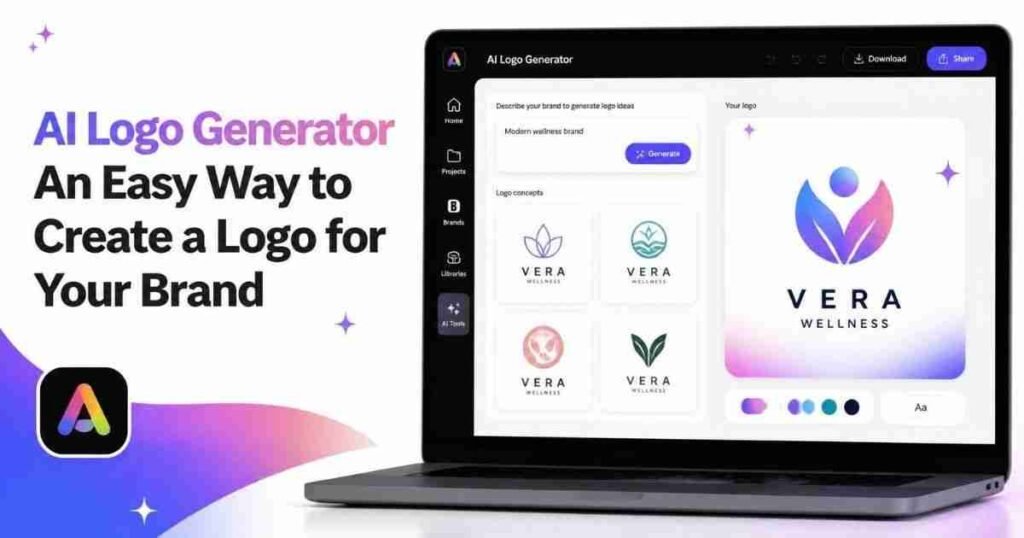
Creating a logo used to mean hiring a designer, learning complicated design software, or spending a lot of time trying to turn an idea into something that actually looked professional. Today, things are much easier. With an AI logo generator, almost anyone can create logo ideas in just a few minutes, even without previous design experience.
Thank you for reading this post, don't forget to subscribe!If you are starting a small business like an agriculture, gardening, or landscaping business; building a website; launching a new agricultural project; or creating a personal handmade brand, an AI logo generator can give you a simple place to start. You can describe the kind of logo you want, explore different ideas, and then make changes until you find something that feels right for your brand.
What Is an AI Logo Generator?
An AI logo generator is an online tool that uses artificial intelligence to create logo designs from a written description. Instead of drawing everything yourself, you tell the tool what you have in mind.
For example, you could describe a modern logo for a lawn care shop, a coffee shop, a simple logo for your agricultural technology company, or a colorful design for a children’s clothing brand. The AI uses your description to create visual concepts that match the style you requested.
Why Are AI Logo Generators So Popular?
The main reason is convenience. Not everyone has the budget to hire a professional designer, and not everyone knows how to use programs such as Photoshop or Illustrator. AI tools make the first stage of logo design much more approachable.
You can start with a basic idea and see what it looks like visually. If you don’t like the first result, you can change your description and try again.
This is particularly helpful when you know what your business should feel like but don’t know exactly how to represent that feeling visually. You might know that you want something modern, friendly, elegant, bold, or playful. An AI logo generator can help turn those ideas into actual designs.
How to Create a Logo With AI
The process is usually quite simple. Start by thinking about your brand and the message you want your logo to communicate. Then describe your idea using clear and specific words.
For example, instead of writing “Agri-business logo,” you could try something like “minimalist green logo for an eco-friendly cleaning company.” Adding details about colors, style, shapes, and the type of business can help you get more relevant results.
After generating the first designs, look through the options and choose the one that comes closest to what you want. You can then experiment with different versions rather than trying to get everything perfect on the first attempt.
Choosing the Right Style
A good logo should match the personality of the brand. A law firm may want a clean and professional design, while a children’s brand could benefit from brighter colors and playful shapes.
Think about your target customers as well. Your logo should be something they can easily recognize and remember.
Simple designs are often a good choice. A logo with too many details may look impressive when viewed on a large screen but become difficult to recognize when it is used as a small profile picture or printed on a business card.
You should also consider where you plan to use the logo. A versatile design can work across your website, social media accounts, packaging, advertisements, and printed materials.
Don’t Be Afraid to Edit the Result
The first AI-generated logo does not have to be the final version. In fact, you will often get a better result by treating the first design as a starting point.
Look at the colors, fonts, symbols, and overall layout. Ask yourself whether the design actually represents your business. If something feels wrong, change it.
With Adobe Express, for example, you can continue customizing your generated design in the editor. You can adjust elements and add text or graphics to make the result more personal. This gives you more control instead of simply accepting whatever the AI produces.
What Makes a Good Logo?
A good logo doesn’t necessarily need to be complicated. Some of the most recognizable logos are built around simple shapes, clean typography, and a small number of colors.
A strong logo should be easy to remember and should still look good in different situations. Try viewing it at both large and small sizes. You can also imagine it on a website header, social media profile, business card, product package, or sign.
Most importantly, it should feel connected to your brand. A visually attractive logo is useful, but a logo that communicates something about your business is much more valuable.
Final Thoughts
An AI logo generator is a practical option for anyone who wants to create a logo without starting from scratch. It can save time, provide creative inspiration, and make the design process less intimidating for beginners. You don’t need to have a perfect idea before you begin. Start with a simple description, experiment with different styles, and make adjustments as you go. The goal is not just to generate an image but to create a logo that people can associate with your brand.